As we all know, SAP has changed the way exchange rates are replicated with the transition to S/4. In ERP, C4C would pull the exchange rates using a background job. In S/4, the exchange rates are pushed to C4C using a new interface.
SAP has a released note 2937490 - Replication Exchange Rate between S/4 and C4C - Push Method and if this was doing its self-claimed job of explaining "what steps need to be configured", I wouldn't be writing this blog. Other than that, the exchange rate integration is notoriously badly documented.
My concern is with the first three steps mainly:
- Transaction DRFOUT
- Replication Model C4C_EXCHRT
- Implementation 995_CURCOV
It ominously says "if you are able to select these settings" but they might just mean something else. They probably weren't thinking much at all. Or maybe greenfield standard integrations come with all of this set up. But I doubt it.
Of course you are not able to select those settings, so let me tell you what you really need to do:
First, let me tell you that the replication works in SAP standard and is pretty straight-forward. So if something doesn't work and you've followed all the steps here, it's most likely that you're missing an SAP Note in your system. (I was so used to working in a mostly error-free ERP environment for the last years that I almost didn't consider this option!)
Second, SAP provides standard report RCOD_CONNECTIVITY to set up the exchange rate integration (among others). Due to the lacking documentation and because I like to know exactly what changes in my system, I decided not to use it. I tested it, though. It doesn't ask for a transport, which I found strange. And the above replication model didn't appear either.
Having said that, here are the steps that worked for me - you should be able to apply them to other DRF objects in principle:
S/4
Read note 2646544 - Sender Party is Missing in Header of SOAP Messages. If you have a working SLD, it won't be relevant to you but if you don't, make sure you implement the BAdI. Otherwise the system doesn't fill SenderBusinessSystem and your replications will fail in C4C with the ominous Exception: Error in message header mapping; agent class is CL_EXCHANGE_RATE_REPL_IPA (see below)
Business System
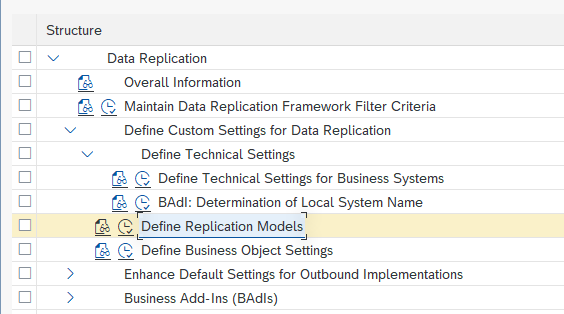
Transaction DRFIMG → Data Replication → Define Custom Settings for Data Replication → Define Technical Settings → Define Technical Settings for Business Systems
Create business sytems with the tenant IDs of all C4C systems of your S/4 transport landscape. This is because this entry is transported, so you have to maintain them all in DEV. Do not use any other identifier or your integration will fail (S/4 passes the business system ID 1:1 to C4C and there is a 1:1 mapping in the standard iflow).
You do not need to map a logical system, but if your logical system name is more speaking (e.g. C4CDEV), then it may help identify which system the tenant ID refers to
Do the following steps for each business system you create!
Go to “Define Bus. Systems, BOs” and create New Entry 175 “Exchange Rate” and select Sys. Filt. And Outp. Mode = D Direct Output
Select this new entry and go to Define Bus. Systems, BOs, Communication Channel
Create a new entry "1 Replication via Services" - leave everything else unchanged
Save
Replication Model
Open Define Replication Model
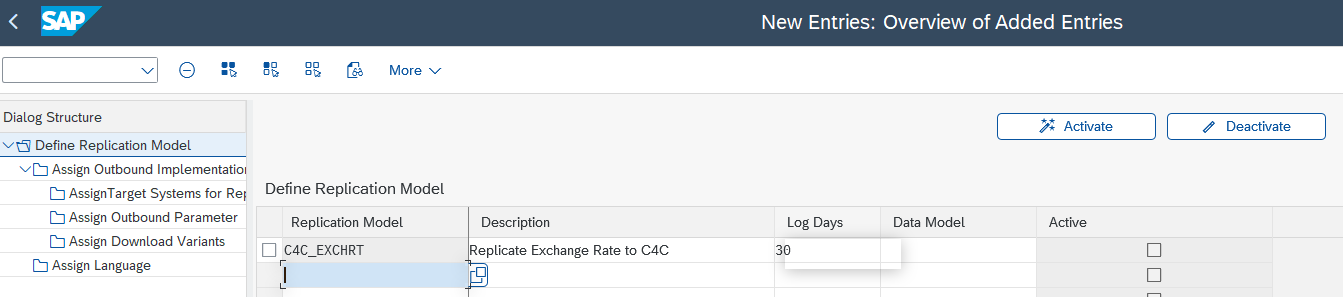
Create New Entry C4C_EXCHRT and set log days as required (here 30 days)
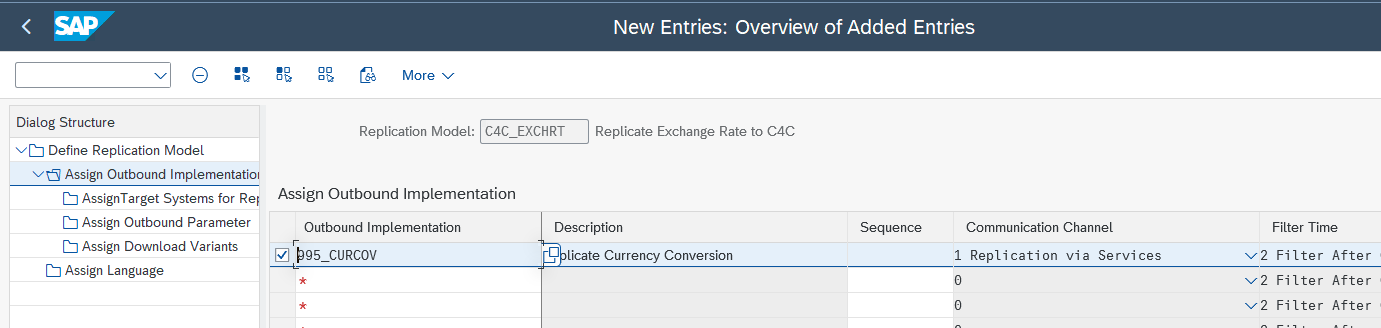
Select created entry, go to Assign Outbound Implementation
Select New Entry
Choose 995_CURCOV and leave everything else as is
Select new entry and go to AssignTarget Systems for Repl. Model /Outb.Impl
Select business system created above
Go to Assign Outbound Parameter
Maintain parameter PACK_SIZE_BULK as 5000 (5000 exchange rates per message)
Go back to Define Replication Model, select C4C_EXCHRT and click “Activate”

Don't forget to get your basis team to grant you the authorizations to run this replication in DRFOUT! (Try to run it and send them the error in SU53 if you are unsure.)
S/4 - SOAMANAGER
- Transaction SOAMANAGER
- Web Service Configuration
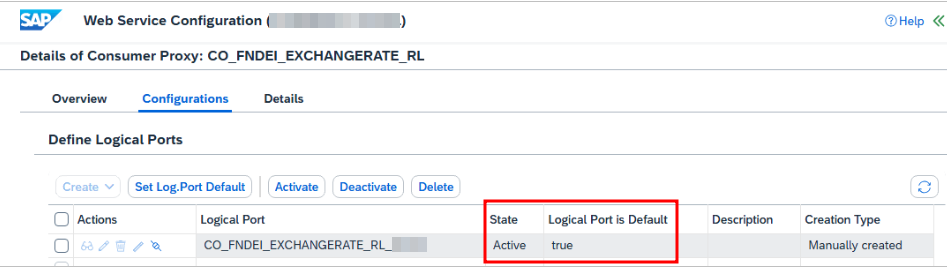
- Search for consumer proxy "CO_FNDEI_EXCHANGERATE_RL"
- Create a logical port and make sure it's set to default
BTP
Deploy and configure the standard iflow Replicate Currency Exchange Rate from SAP Business Suite. No modification required.
C4C
Administrator → Communication Scenarios
Select Currency Exchange Rate Replication from SAP Business Suite and click New Configuration:

Maintain Business Data with S4 backend business system and "SAP On Premise Integration" code list mapping
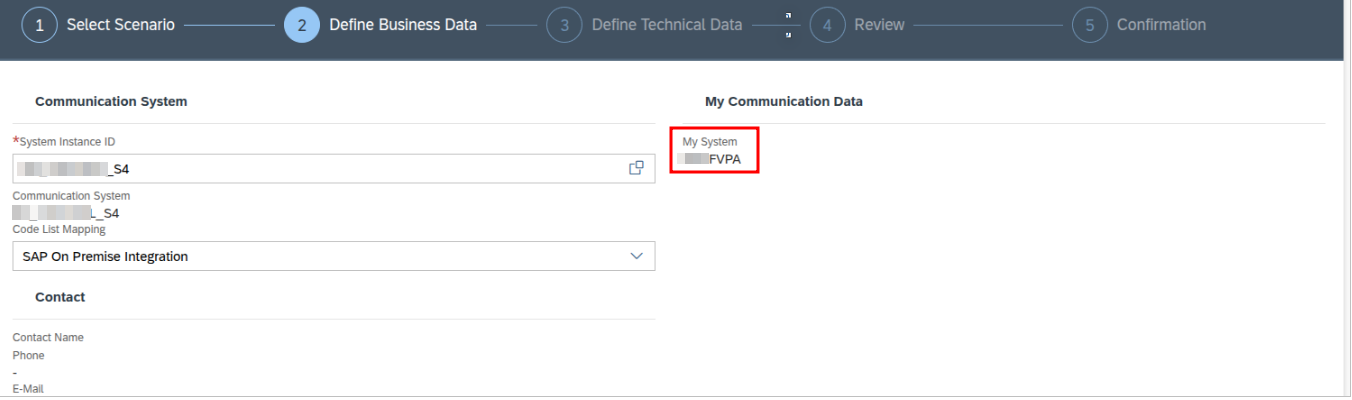
this is where you find your tenant ID, if you didn't know
Under Technical Data, make sure you select "Application Protocol: Web Service"
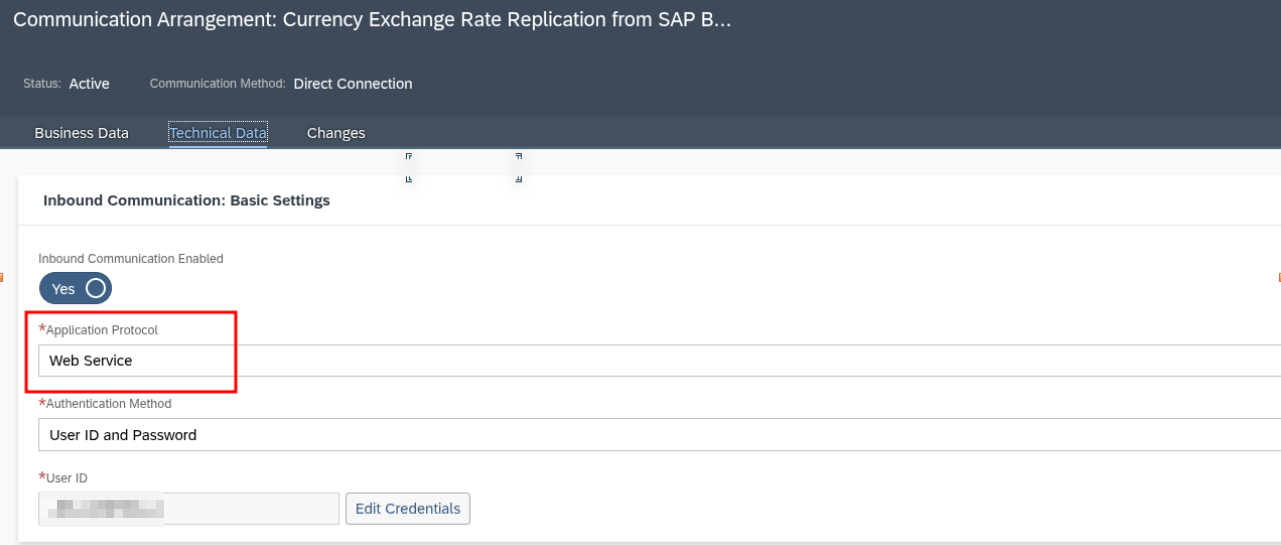
Run
That's it!
Now you can proceed as suggested in the SAP note mentioned in the beginning:
- Run transaction DRFOUT
- Choose replication model C4C_EXCHRT and outbound impelementation "995_CURCOV"
- Under Replication Mode:
- If you choose "Initializations" it will send all exchange rates (in my system, it was 400,000 and took C4C 3 hours to process)
- Changes: Haven't tested yet.
- Manual: Best for testing - select Manual Replication Filter Criteria
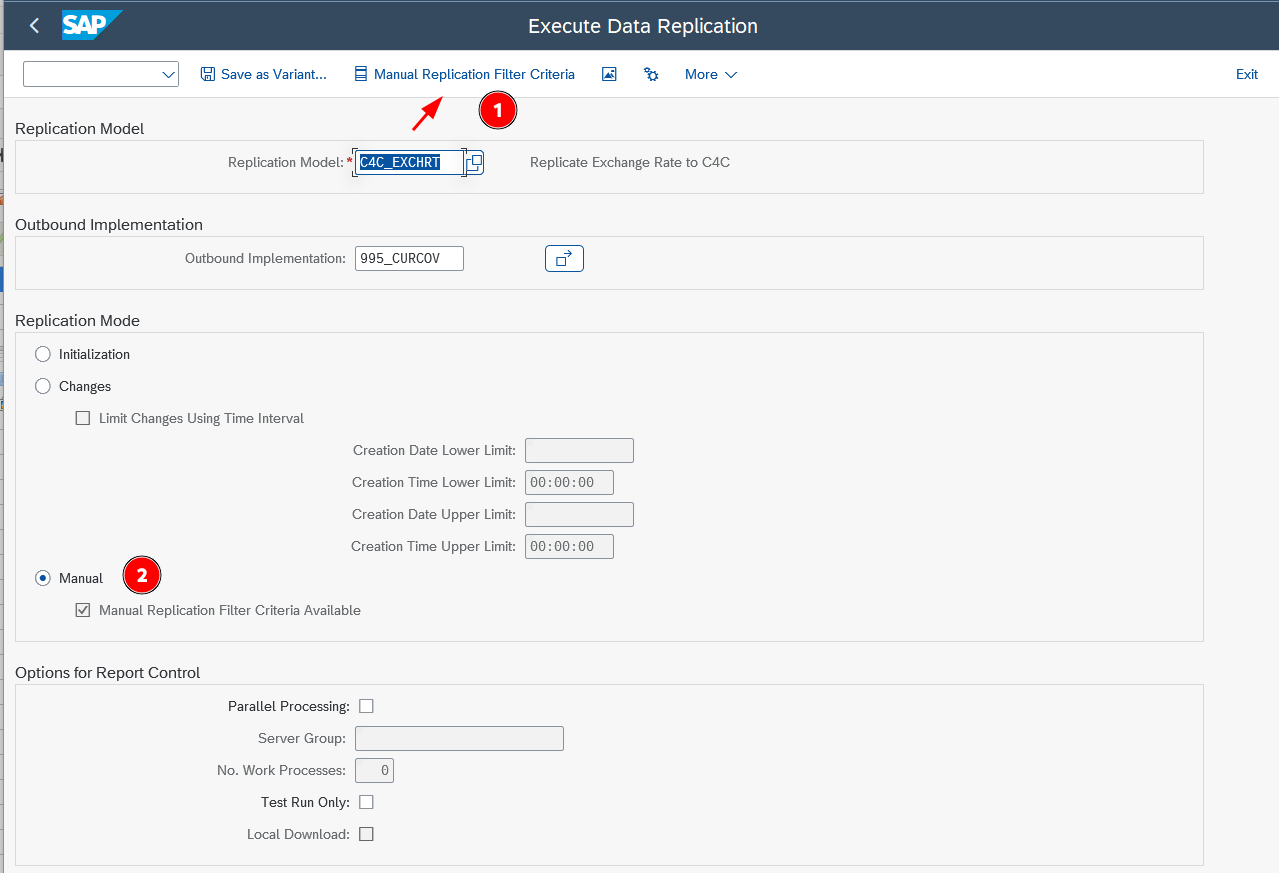
- Options for Report Control:
- Parallel Processing: Will schedule the execution as background jobs. Probably not needed here. For other objects, make sure you limit number of work processes or you will block all background processing work processes
- Test run: Do this first to verify the number of objects that will be sent
Results
The results are shown as a log.
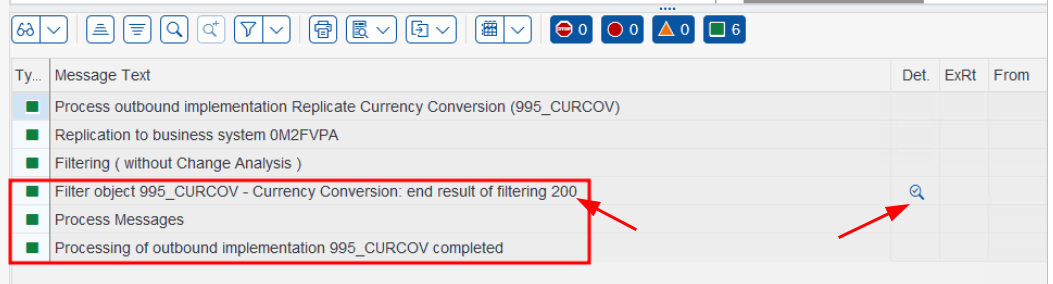
The number of messages are shown (left arrow) and you can click the looking glass to see a detailed list of exchange rates.
Help
- If you face the error "Exception: Error in message header mapping; agent class is CL", follow note 2596951 - Exception: Error In Message Header Mapping Agent Class Is CL_**** to the letter!
- Make sure you have note 3609593 - DRF - Local system call replaced with Class method call implemented. Otherwise your BAdI implementation won't be called.
- Do not try to delete your exchange rates in C4C! Doing so will only deactivate them and if you try to replicate the same exchange rates again, the replication will fail because the system thinks the entry already exists. There's no way to re-activate the deactivated items either. SAP has released note 3745699 - Exchange Rate Replication Error : "Query result not unique; BO CER_EXCHANGE_RATE, Node ROOT, Query QUERY_BY_CURRENCY_PAIR2 : CATEGORY_CODE = 1 ; VALID_FROM_DATE_TIME = XYZ;" - SAP for Me with regards to this issue, but the recommended steps don't work.
- If you are wondering where the outbound implementation is actually implemented and how the system knows to call the proxy you created in SOAMANAGER:
- Go to DRFIMG → Enhance Default Settings for Outbound Implementations → Define Outbound Implementations
- Search for 995_CURCOV
- Find implementing class in column Outbound Implementation Class

- For exchange rates, the proxy name is hardcoded in method CL_FNDEI_EXCHANGERATE=>SEND_MESSAGE